
Tweet Overview
View this X/Twitter post from @Framer_X published on March 11, 2026 at 02:09 PM. This post contains 4 videos and 5 images.
Turn retro pixel games into AI animations 🎮

Seedance 2.0 just made it possible.

And it actually feels like a real game.

Let me show you how👇
Step 1:

Pick your source image.

I found two Midjourney images I liked - a character and a setting - and combined them.
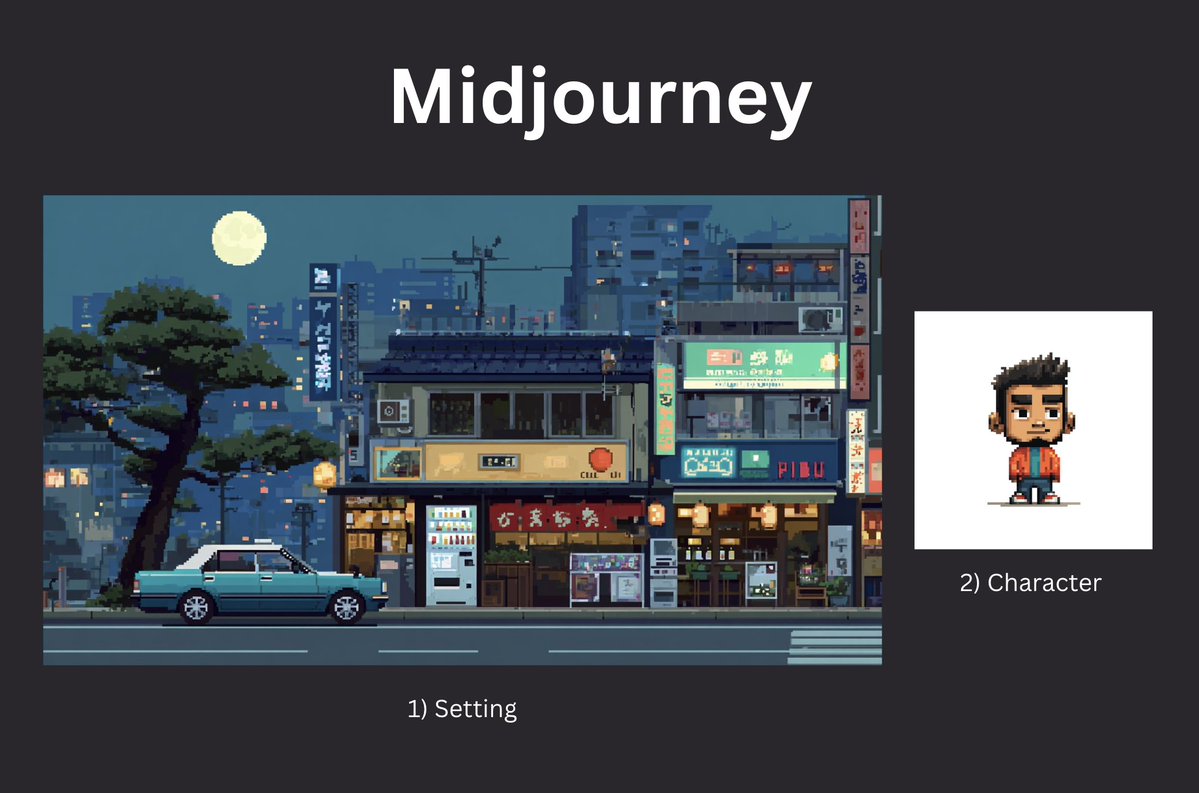
Step 2:

Head to Seedance 2.0. After testing many platforms, I stuck with @yapper_so (use off-peak hours).

Upload both images as references and tag them in the prompt (as shown in the example below):

"The car Image1 with the character Image2 inside, parks next to the grocery store, camera still.

[cut] Image2 The character gets out of the car and walks into the grocery store.

[cut] Close up shot of pixel coins floating above the oranges.

cut] He grabs an orange - a +10 pops up above his head.

[cut] He starts running through the store, putting oranges and tomatoes into a basket. Coins and +points appear with each item.

[cut] An old lady NPC rushes toward the tomatoes with a shopping cart.

[cut] The player quickly grabs a tomato before she does +50 combo.

[cut] A score counter appears above his head.

No music. No talking."
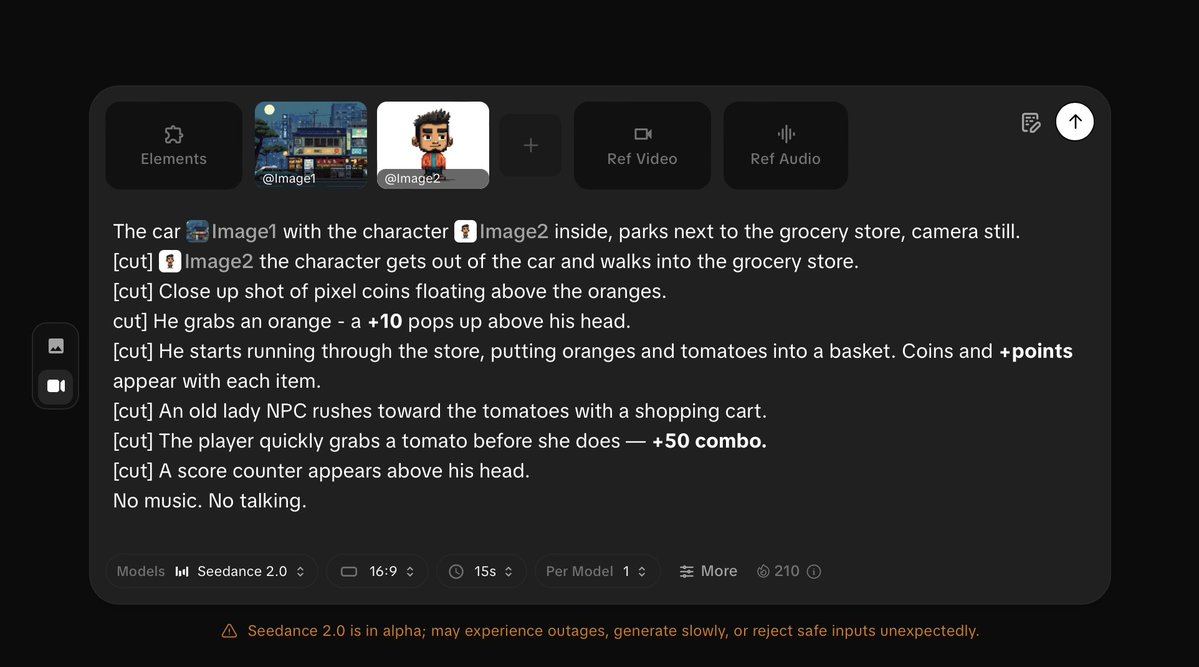
You should get something like this:
Step 2:

To continue, extract a still shot of the character fully visible in the store environment:
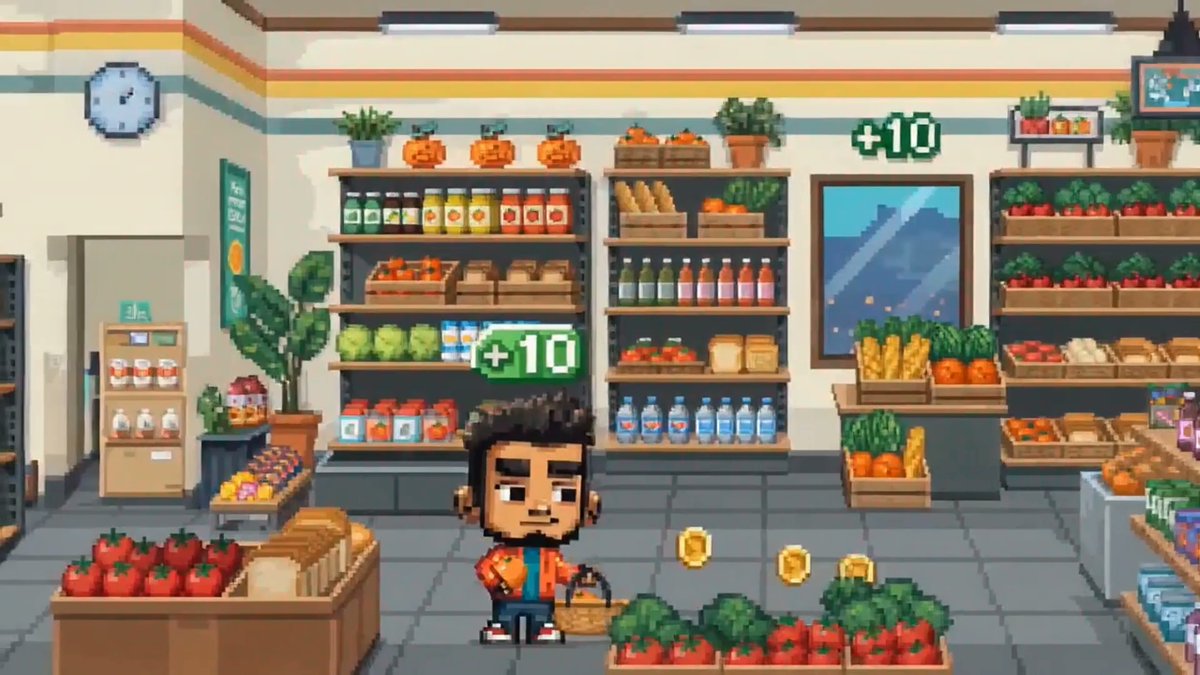
Step 3:

Upload the still shot from above and use the following prompt:

"The character runs through the store, putting oranges and tomatoes into the basket.

[cut] A pyramid of oranges suddenly collapses, blocking the aisle, he jumps over the oranges and keeps collecting items.

[cut] A timer suddenly appears: 00:05

[cut] He rushes to grab the last tomato.

[cut] The score reaches 1000.

[cut] The screen flashes: LEVEL COMPLETE

No music. No talking."
Step 4:

For full control of the final shot, I created an arcade scene in Midjourney and replaced the screen in Nano Banana Pro with the last frame of the animation.
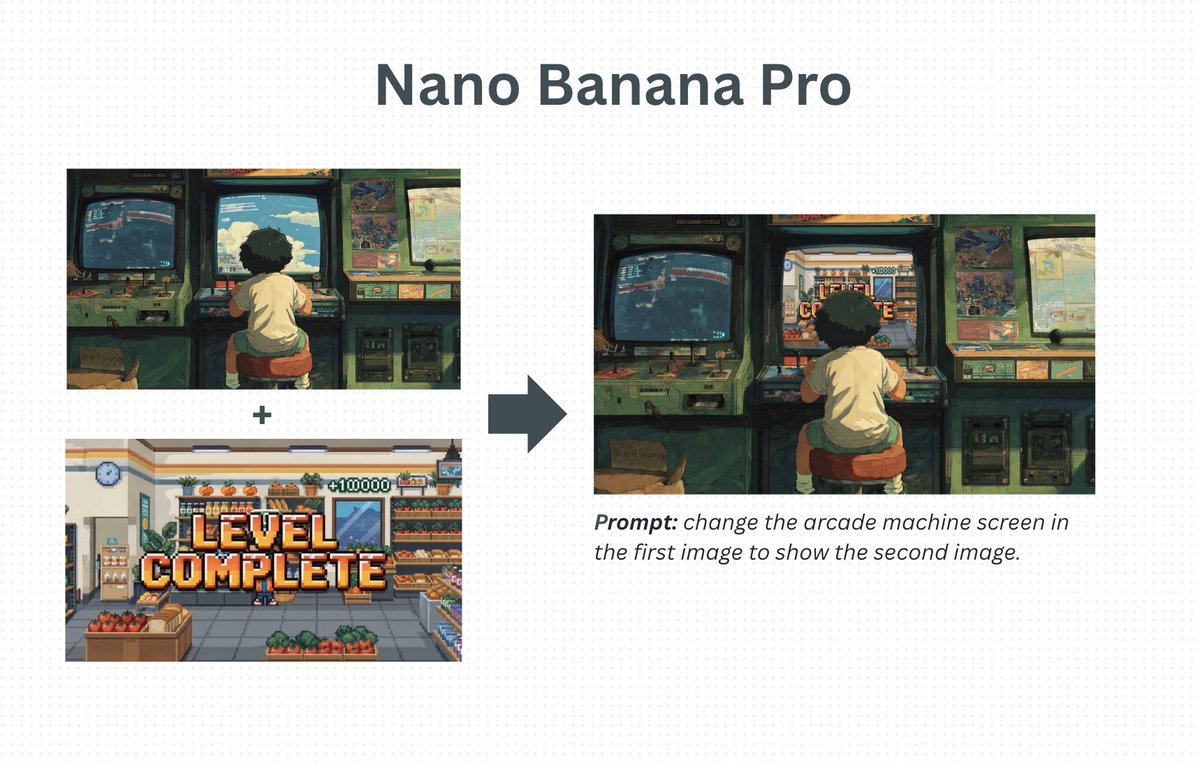
Step 5:

Upload the source image of the boy playing an arcade machine and use the following prompt:

"Back shot of the boy getting excited as he wins the game.

[cut] Front close-up shot of the boy smiling, braces visible on teeth, looking at the screen and eager to start again.

[cut] Close-up shot of the boy’s hand pressing the red START button on the arcade machine.

No music."
Step 6:

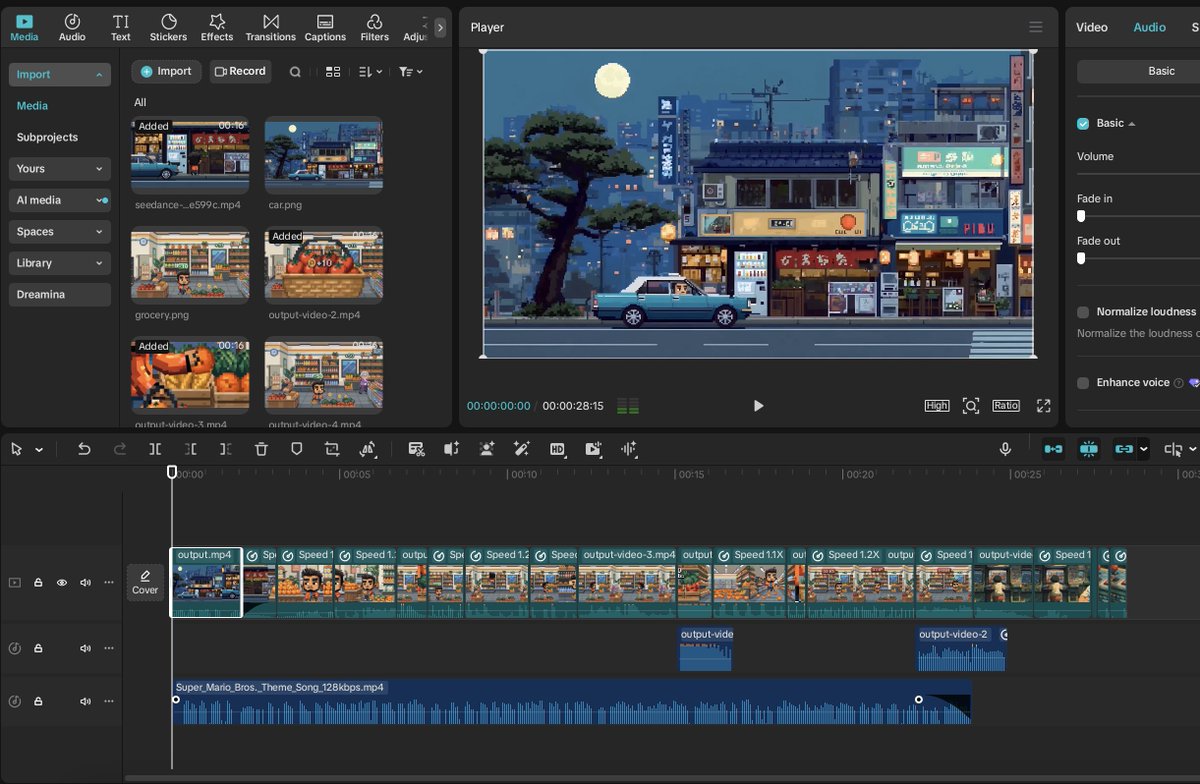
Choose a retro video game track that fits the vibe.

Put everything together in CapCut - done!
AI is making creativity limitless 🚀

Got crazy ideas?

Bring them to life with Cartoon Hero 3.0 (launching soon).

Waitlist 👇
https://docs.google.com/forms/d/1L3yooQF1AT-zDhkuqQ9myDNl981NDSjFj3wCyukAcRU/edit


